
Ubuntu Kung Fu 253
Lorin Ricker writes "Back in the dark ages of windows-based GUIs, corresponding to my own wandering VMS evangelical days, I became enamored of a series of books jauntily entitled Xxx Annoyances (from O'Reilly & Assocs.), where "Xxx" could be anything from "Windows 95", "Word", "Excel" or nearly piece of software which Microsoft produced. These were, if not the first, certainly among the most successful of the "tips & tricks" books that have become popular and useful to scads of hobbyists, ordinary users, hackers and, yes, even professionals in various IT pursuits. I was attracted, even a bit addicted, to these if only because they offered to try to make some useful sense out of the bewildering design choices, deficiencies and bugs that I'd find rampant in Windows and its application repertory. Then I found Keir Thomas, who has been writing about Linux for more than a decade. His new "tips" book entitled, Ubuntu Kung Fu — Tips & Tools for Exploring Using, and Tuning Linux, and published by Pragmatic Bookshelf, is wonderful. Having only recently wandered into the light of Linux, open source software, and Ubuntu in particular, this book comes as a welcome infusion to my addiction." Read below for the rest of Lorin's review.
As a relatively young Linux distro, Ubuntu already sports a wealth of introductory and how-to books vying for the enthusiast's money — and I've already purchased a significant sampling of these which informs my opinion about the book here under review. And even for Ubuntu, the "tips & tricks" section of my own Linux bookshelf contains volumes which run from the encyclopedic to the practical — I'd even collected O'Reilly's Ubuntu Hacks (Oxer, Rankin & Childers) well before encountering Ubuntu Kung Fu.
| Ubuntu Kung Fu | |
| author | Keir Thomas |
| pages | 367 |
| publisher | Pragmatic Bookshelf |
| rating | 9 |
| reviewer | Lorin Ricker |
| ISBN | 1-934356-22-0 |
| summary | A very useful "tips and tricks" how-to book about Ubuntu Linux |
How well does Keir Thomas's new book fare in this crowded field? Does he provide actual unique value to the Ubuntu community, useful knowledge which is otherwise unavailable or hard to find? In a nutshell (oops, sorry... that's a book series for another time!): Yes, he does. In fact, he hits the target pretty squarely.
Ubuntu Kung Fu is organized as only three chapters (with no preface material at all): "1 Introduction," including obligatory "How to Read This Book," "Acknowledgments" and "Sharing" sections; "2 An Ubuntu Administration Crash Course"; and, the largest chapter by far, "3 The Tips" themselves.
Though it concentrates on rather basic material, the second chapter on Ubuntu administration is actually one of the best subject primers I've encountered so far, and is written directly and to-the-point. There's the right focus and enough detail to help those users making the initial transition from Windows to Linux/Ubuntu, including coaching on users and passwords, file system structure (see sidebar "Drive Letters and Ubuntu"), and guidance regarding "Command Line or GUI?".
For example, after weeks of my own stumbling about in the vast sea of information and opinion known as the Ubuntu Forums, searching in vain for a concise explanation on the distinction between a "virtual console" and a regular old "X-windows terminal" — as an old VMS hacker, I'd had experience with such things — I found exactly the explanation I needed, including Ctrl/Alt/F-key controls, in this chapter. The author manages to underline the relevance of this even to the novice Ubuntu user as it applies to "What do I do if things go wrong?", without getting mired in unneeded exotica.
This chapter continues with the necessary skills in software installation and management, including Synaptic and APT, packages and repositories, doing a good job of giving the novice his or her bearings to get started. It concludes with a decent orientation on config files and the gconf-editor, making and keeping backups, and what to do if it does all go wrong.
"The Tips," the third chapter, constitutes 315 separate items, covering over 300 pages, the big majority of the book. Each tip is clearly titled as to its purpose, and has a small check-box in the margin beside the title so that the reader has a place to mark the tip as to personal relevance and priority.
I suppose that the best way to give you a sense of the value of these tips is to provide a summary of my own "usage statistics", derived from my own check-box marks. When I first surveyed the book to get my own bearings, I used a yellow highlighter pen to color in the check-box for tips that caught my eye and that I especially wanted to get back to... Later, as I read through the entire "Tips" chapter, I made a check in the box for each tip I intended to return to for installation or implementation on my own Ubuntu box, and where appropriate, when I actually did install or implement the tip, I made an installation note as to time and details. A good many of the tips are for information or how-to skill only, with nothing to install or implement other than enhancing the reader's own understanding.
Of the 315 tips, I counted 108 (34%) that I marked with yellow highlight; 16 (5%) that I checked for implementation, but have not yet done so for one reason or another; and 19 (6%) that I've implemented on my system. Considering that any "tips & tricks" book ends up becoming a grab-bag of items with a hit-or-miss appeal to any particular person, this is a very good personal return-on-investment. Yet this breakdown is rather arbitrary, as many of the tips are techniques to know and use, rather than configurations to manage or applications to install. In other words, your mileage may vary.
Mr. Thomas's grab-bag is typical in its variety and scope — there's likely something for everyone, both Ubuntu novice and expert, in this book. And, true to style for such volumes, the author notes this about his "big book of tips": "...that you can jump in anywhere." This goes to the heart of my only notable criticism of the book, one of organization. Unlike many "tips" books, where there's usually some attempt to organize the presentation of topical items into a somewhat obvious order, the editorial decision for UKF was to explicitly order the tips randomly — this was no accident, as the author makes explicit in a couple of his remarks.
Indeed, reading through the "Tips" chapter in page-order is no different than embarking on a thorough reading in random order — there simply is no rhyme-or-reason to the presentation of items. This is particularly frustrating because there are numerous instances of tips which are closely related by subject or purpose, and for which the reader would be well served by having them grouped on successive pages for ease of reference and purpose.
That this was an editorial decision is made clear by the fact that the Table of Contents is itself 10 pages long, listing every single tip in the book, and is then followed by a secondary, equally lengthy "Contents by Topic" which attempts to group the tips by general category, "Application Enhancements", "Command Line Tricks", "General Productivity Tips", etc. Furthermore, the editorial effort was made to cross-reference related tips in the text, under Tip 39, we find "...see Tip 173, on page 204, and Tip 228, on page 260," and so on. For all this cross-referencing and contents by topic effort, wouldn't it have been more effective to simply organize the tips in a semblance of relationship, commonality and order? After all, having done a "Contents by Topic", why not just go ahead and organize the book accordingly?
For some readers, the random shuffling of tips may not matter much, as so much of the information will be newly encountered and of subjectively individual value. And value there is aplenty in this book! I'll close by noting four items which were of particular interest and value to me, things for which I'd been previously searching for without luck, or which I didn't even know existed in the open source world of resources:
First, on the ubiquitous implementation of yet another Trashcan for file deletion in a File Manager (the Gnome Nautilus app, which is prevalently used on Ubuntu): GUI designers just can't get over the fact that "mere mortals" might actually delete files and not really mean it... hence, the Trashcan mechanism to protect them from their own silly actions.
This is actually a two-edged sword, and I'd been caught in the quandary of having intended to really delete some application files, which happen to have been root-owned, only to have them get snagged in my file system's Trashcan. The real quandary commenced when, using sudo, I tried to figure out how to delete them from the command line — but where in the heck is "the Trashcan"? I could see the files in Nautilus (where I couldn't conveniently use sudo-power to delete them), but following my own hunches as to where-in-the-file-system the Trashcan was actually stored turned up empty-handed.
UKF to the rescue — see Tips 39, 228 and 309 for everything you'd need to know about handling the Trashcan from the command line.
Secondly, I'd become quite fond of enhanced cut-&-paste (multiple) clipboard capabilities under Windows. Again, UKF to the rescue: Tip 306 let me know of an open source (KDE) clipboard enhancement known as Klipper (it's in the Ubuntu Repositories), which scratches this itch most satisfactorily.
Third, although Ubuntu provides basic, rudimentary tools (Gnome and KDE) for capturing screen shots, until I got to Tip 313, I didn't know that the GIMP could be used to augment and sophisticate screen shot capturing! And, of course, you can refine, edit and save your shots in any GIMP-available format directly. A great enhancement, if only to my working GIMP knowledge!
Lastly, like most folks, I've got a dark side, secrets which must be kept — things like account numbers, passwords, and other personal arcana which cannot, or should not, be kept in unencrypted form. Again, under Windows, I'd found an encryption technology known as TrueCrypt which I'd employed (and paid for) on that platform for a couple of years prior — and with my transition to Linux, I had mistakenly assumed that I had to abandon TrueCrypt as a Windows-only app.
Imagine my surprise and delight when I encountered Tip 145, which informed me that TrueCrypt includes an open source licensed release for Linux, including exactly where to go to install it and how best to use it! Bravo, and thank you, Mr. Thomas, for helping me resurrect an old and trusted friend!
In summary, it should be apparent that, in spite of my grumblings about the random tip presentation, I think that Keir Thomas's Ubuntu Kung Fu is a wonderful book — address the organization issues in a second edition, and I think it'd become an exemplar of its type. I recommend it highly to anyone who has become, or is becoming, an Ubuntu Linux user and enthusiast. It usefully helps bridge the gap between the Microsoft Windows experience and the not-so-different world of the Linux desktop. It provides ample practical help and knowledge to advance your productive use of Ubuntu Linux. This book takes a pride-of-place position right beside my copy of Ubuntu Hacks, where I can refer to it whenever I've a hankering to implement "that new thing" I remember having read about.
You can purchase Ubuntu Kung Fu from amazon.com. Slashdot welcomes readers' book reviews -- to see your own review here, read the book review guidelines, then visit the submission page.
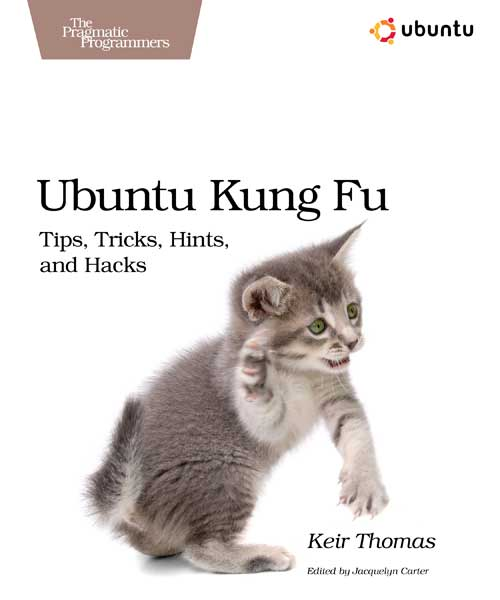

Was the cover designed by someone at Fark? (Score:5, Funny)
I can haz Linuxes?
Re:Was the cover designed by someone at Fark? (Score:5, Funny)
The logo is actually a ninja!! Can't you see it? The kiteh is only there for size approximations.
Re:Was the cover designed by someone at Fark? (Score:5, Funny)
I understand there are actually seven ninjas in that picture.
Re:Was the cover designed by someone at Fark? (Score:5, Funny)
I understand there are actually seven ninjas in that picture.
They understand the importance of not being seen.
Unfortunately, it is obvious where they are hiding.
Re: (Score:2, Funny)
Re:Was the cover designed by someone at Fark? (Score:5, Funny)
Pfft. Ninjas don't exi
Re:Was the cover designed by someone at Fark? (Score:5, Funny)
oh, I get it...a ninja killed you mid-post...then, leaving your sentence half-typed, hit preview...clicked in the little captcha text field off to the side...typed the captcha...and hit submit. Let's not kid ourselves, I'd be surprised if a ninja knew wha
Ninjas? HA! (Score:4, Funny)
Yarr! The pirates are t'be takin' out them scurvy Ninjas!!!
Hoist the mains'l and raise a tankard o'grog to his Noodliness!!!!
I prefer ubuntu ninjitsu (Score:5, Funny)
Ubuntu CDs make fine shuriken. Debian CDs work well too. Haven't tried SUSE or Fedora though.
Re:I prefer ubuntu ninjitsu (Score:5, Funny)
Fedora CDs can only be wielded by Oddjob!
lol wut (Score:5, Funny)
Oh the annoyances of xxx film. Why can't they make it look like people are REALLY HAVING FUN?
And the MUSIC! It's terrible.
XXX Annoyances? (Score:4, Funny)
Comment removed (Score:5, Informative)
Ultimate ubuntu kung fu move (Score:5, Funny)
Install a better distro!
Re:Ultimate ubuntu kung fu move (Score:4, Insightful)
I've run gentoo, suse, mandrake, redhat, centos, federoa, ubuntu, and I'm sure a few others over the years and none of them have even come CLOSE to the usability of windows.
I have a feeling that I'm not the minority here, either. I runx Xming on my desktop at work and use putty's X11 forwarding to view things like etherape (wish they would write a client for windwos..that is a really neat piece of software) when I need X, and use putty for everything else.
I won't get into the usability of Windows vs. Ubuntu or others; I find Ubuntu much more usable than Windows but I guess it comes down to personal preference (plus a lot of people falsely equate "usability" with "what I'm used to"). But it's kinda ironic that you then immediately bemoan the lack of one of a Windows version of one of your favorite open source tools.
One of the reasons I prefer Linux for the desktop is precisely that: Windows will never have the quantity and quality of open source software available for it that Linux does. Sure, there are some great open source tools for Windows (like TortoiseSVN) but writing FOSS for a proprietary platform just feels wrong to a lot of open source developers/contributors (myself included).
Oh, and you really should Pascal-case "EtherApe". When I first read that I figured etherape was some type of add-on to BackOrifice. Kinda like what happened to ExpertsExchange.com when people didn't capitalize it correctly (and thus later became experts-exchange.com)
Nah, everybody knows how this one goes. (Score:5, Funny)
First you get your cocky ass kicked by some Windows fanboi.
Then you go up onto the mountain to train with a bearded Unix guru. He forces you through a brutal training regimen with obscure CLI utilities, each with its own brain-flayingly inconsistent command line switches.
When you can debug, at a glance, Perl scripts that look like core dumps, you come down from the mountain and beat the crap out of the Windows guy with your esoteric skilz.
Re: (Score:2)
I forgot to add: in a bamboo grove.
Re:Nah, everybody knows how this one goes. (Score:5, Funny)
By the time you come down the mountain, you're in your 30's, living with your parents, grossly overweight, and have less of a social life than the kitten on the cover of the book. Sure, you know Ubuntu kung-fu, but at what price?
Re:Nah, everybody knows how this one goes. (Score:5, Funny)
Sure, you know Ubuntu kung-fu, but at what price?
$34.95 or $43.75 with the PDF.
...
What?
Re: (Score:2)
$34.95 or $43.75 with the PDF.
Or, you can go to isohunt.com
Re:Nah, everybody knows how this one goes. (Score:5, Funny)
When you can debug, at a glance, Perl scripts that look like core dumps, you come down from the mountain and beat the crap out of the Windows guy with your esoteric skilz.
Everybody stand back! I know regular expressions.
Re:Nah, everybody knows how this one goes. (Score:5, Insightful)
HAHAHA! Your regular expressions are very good. But can you handle my LALR(1) grammar!
Re: (Score:2)
Probably. Kids these days just won't believe you when you tell them that regular expressions used to be restricted to sequence, alternation and Kleene star.
Re:Nah, everybody knows how this one goes. (Score:5, Funny)
A link to xkcd [xkcd.com] would have been most appropriate there, and would have gained you a +5 funny.
Re:Nah, everybody knows how this one goes. (Score:5, Funny)
And I was sitting here with 15 moderator points, thinking "should I throw him a bone for offering the obligatory XKCD, but in an incomplete fashion", or "should I reward you for giving the link and completing the joke", or even "should I mod you down for being a karma whore". In the end I decided to let my mod points vanish into oblivion due to my indecisiveness over my quandry. I feel better now.
Re:Nah, everybody knows how this one goes. (Score:5, Insightful)
Strangely, your post reads like an xkcd strip.
Re:Nah, everybody knows how this one goes. (Score:5, Insightful)
It's not an inside joke if you explain it to everyone. Cool doesn't need +5 Funny.
Re: (Score:2, Funny)
Isn't that redundant?
Re: (Score:3, Funny)
You then go back up the mountain and are initiated into the Unixen, a secretive order renowned throughout the ages as the etymological root of the word "eunuchs" because they supposedly cut off initiate's penises and made them live in their parents' basements. These tales are, of course, lies spread by the Unixen's arch-foes, the Knights MCSE (pronouced "mucousey"), who desire to control all with DRM. In truth the Unixen only desire peace and freedom throughout the lands, that all men might one day arrive
Re: (Score:2)
So much for free! (Score:3, Insightful)
It seems silly to pay for a how-to book for a free operating system. I wonder if there's an online "Linux Documentation for the Masses" type of thing. Linux documentation online, at least from what I have seen, tends to be geared not so much for the same audience that books tend to be, unfortunately.
Re:So much for free! (Score:5, Informative)
I peeked at it by chance in a bookstore and it actually looked pretty good. It's the kind of book that makes you notice something you didn't before and go, "that's pretty cool." As long as the books are genuinely well written, they will always be around as long as they are up to date.
A good example of an everlasting book is "The C Programming Language" by Brian W Kernighan and Dennis M Ritchie. It's a book that was written 20-30 years ago. It was sitting right there on the shelf right next to "Ubuntu Kung Fu", and likely will long outlive "Ubuntu Kung Fu" once it is gone. It doesn't matter how many C tutorials are put up on the web, "The C Programming Language" is still a damn useful book worth paying for.
Free Linux Docs Re:So much for free! (Score:3, Informative)
Hmmm... You've made it clear you're not expecting free hardcopy, so you [ubuntukungfu.org] must [howtoforge.com] be [linuxmanpages.com] wanting [linux.org] links [tldp.org].
Of course to have found that you probably would have needed some uber-l337 [google.com] mad [google.com] google [google.com] skillz [google.com].
Re:Free Linux Docs Re:So much for free! (Score:4, Insightful)
I knew about howtoforge, linuxmanpages, etc. Linux man pages are oh-so-user-friendly! Of course, I actually do use them and am not a blithering idiot when it comes to Linux. I guess my point was that if we want to get Linux into mainstream OS stuff, it will either have to "just work" (like Windows typically does) or the FREE documentation is going to have to be perhaps a bit more standardized, easier to find, easier to use, etc.
It is hard to "sell" (heh) something as free when you then have to ask them to get a $XX book because they are going to have on clue how to use it, it's not what they are used to, and it doesn't just work. :)
For those of us that ARE comfortable looking at random pages in google to find out how to do some weird Linux stuff, that's cool. For those that are switching to Linux, for the first time, and want to know how to get their Canon MP210 printer to work... well, they've got issues at the moment.
Oblig auto analogy. (Score:4, Insightful)
So manual transmission cars don't work if all you know is an automatic transmission?
Motorcycles don't work if all you know is how to drive a car?
18-wheelers ... don't even ask about 18-wheelers.
The point being that many things DO work. And they work very well. And you probably depend upon them even if you are not aware of it.
Your point is incorrectly stated. Rather than whether something "works" it should be whether YOU can handle it.
And that is different for every person out there. Some people will not need a book like this. Some will. Others will need a human to teach them. Whatever the case, that does not change the fact that Linux is Free (like beer, like speech).
Re: (Score:2)
Re: (Score:3, Interesting)
the FREE documentation is going to have to be perhaps a bit more standardized, easier to find, easier to use, etc.
I don't think that would do much good for your alleged goal (getting Linux to be mainstream), but I kinda agree with you there. These days whenever someone asks me for help on learning Linux, I always point them to the FreeBSD Handbook and tell them to ignore anything with the word "ports" in it, however it's clearly aimed more at admins unfamiliar with UNIX-derived OSes than it is to Jane Grandma or Joe Geeky Grandson, so I'd also like to see something else to fill that niche.
Yeah, there's always the Ubunt
Re: (Score:3, Informative)
Re: (Score:2, Insightful)
I've had great success as well. Usually one can find the problems. But the true novice (I was in a college course with them... I took it for an easy A and for some of the more advanced stuff, but it started with how to install Linux...) is going to be doing these weird random console commands and has NO clue what he's doing. And of course, it doesn't always work, there will be something slightly different that makes one of the commands not verbatim, user has no idea, it doesn't work, now what?
My main po
Re:So much for free! (Score:5, Insightful)
In Windows, you plug it in, and it works. Or, you put in the CD, install the drivers, and it works. On Linux, sometimes you have to do some really weird things to get this or that printer to work. Even package management can be a real pain, with this or that dependency missing. What's a dependency? Why doesn't it install? Why is this so confusing, why can't they just make it so I download something and install it and it works, like on Windows?
On *Windows* sometimes you have to do some really weird things to make things work. And sometimes it never does. When I was working in IT for a small business unit of Turner Broadcasting during the AOL/TW merger, we got the word we we had to install AOL on all of our computers. This was version 6, so it supported broadband, but just barely.
Even though all our machines were running the same OS (Windows 2000), all standard Dell hardware, etc., there were a few that just didn't want to run AOL. We had one laptop where AOL would only work if you uninstalled the network card driver, and the network card driver would only install if you uninstalled AOL. After two HOURS of troubleshooting this with the special internal Help Desk AOL set up just for this rollout, the tech on the other end said, "Well, it should work." That sentence became an inside joke.
Practically every time I set up a Windows machine, I have to Google for how to get this or that to work right. Because there's a larger install base, there's also more people who have run up against the same problem, and it's easier to find. That doesn't mean that Windows "just works" though.
But having to BUY "documentation" (e.g., a book) because you have no clue about this whole Linux thing, you just got tired of having Windows crash with spyware, adware, and viruses... I don't know.
Hmmmm... I wonder if any of the 432 books Amazon sells about Windows XP (yes, just XP) tell you how to get rid of spyware, adware, and viruses under Windows?
I'm a Linux novice. Yes, I'm pretty tech-savvy, but I don't use the terminal without my husband telling me exactly what to type. ;-) Ubuntu "just worked" for me, pretty much like Windows. Installing was easy. My printer was EASIER to install (in Windows, I have to do a whole dance with inserting the CD and running the application that installs a bunch of crap I don't want along with the driver and *then* connect the printer to the computer yadda yadda). Yes, there's stuff that works better in Windows than in Linux, but Ubuntu is pretty darned close to "just working".
I see nothing weird about having books that tell you how to get more out of a piece of software. Heck, there's a book about how to do more stuff with my Kindle, and for things that "just work" I really can't think of a better example than that little white slab. I think your criticism is misapplied.
Re: (Score:3, Informative)
My printer was EASIER to install
When I most recently needed to add a network printer at the office, I went into KDE's printer control panel, clicked New -> Printer, picked the right one from the list of printers it found on our LAN, clicked Next a few times, and printed a test page. I think Linux pretty much has this problem solved.
Re: (Score:3, Interesting)
There are two easy ways to get hardware working on linux
Re: (Score:2, Troll)
This assumes you are PLANNING on Linux before you buy your computer. Obviously, then, you know enough that you're going to use Linux. You may as well buy a pre-fab desktop with Linux on it, or build it yourself and just get it to work if you're knowledgeable enough. I'm not talking about that class of users :)
Re: (Score:3, Interesting)
Yeah, I know - my post was supposed to be tongue-in-cheek. I've only been using linux about 3 years myself, but have never really suffered the 'hardware hell' problems so many seem to.
The one occasion was when I needed hard copy for something, so bought a ridiculously cheap Epson D78. Couldn't get the bugger to work on Slack 10.2 (or 11; can't remember now). Spent a good few hours on it including a bit of '.configure/make/make install' malarkey with no luck, so slung it on top of the aforementioned wardrob
Re: (Score:3, Insightful)
In Windows, you plug it in, and it works. Or, you put in the CD, install the drivers, and it works.
Are you sure it was Windows you were using? That doesn't sound like a typical experience.
Re: (Score:3, Insightful)
Re: (Score:2)
Except that that is not a self-evident truth, because some people learn Linux and get paid for it (my job includes AIX, HP-UX, Linux, and Solaris, so I technically get "paid" in part to learn those systems). Linux, for me, IS free, but my time is NOT worthless. So, I disagree with your 'axiom' (self-evident truth...)
And for the record, I love using Linux and enjoy my job. I'm also interested in being critical of Linux and going against the Slashdot flow (even if it's considered "trolling" to say anythin
Re: (Score:2, Informative)
Re: (Score:2)
Whoosh to me, then... didn't see the joke. :)
Re: (Score:3, Insightful)
What horseshit. You learn something about Linux, and that knowledge is universally useful for the rest of your life. You "learn" something about the buttons to push in Windows, and that is wasted time. You actually come out dumber.
Windows: It's not free even if your time is worthless.
Addiction huh. (Score:5, Funny)
Well, the support group meets here every wednesday night at 6pm. We have some papers and self-help books by a guy named Richard, who's one of the regulars here. We call him The Reverand here because if you mention "Windows" around him, he goes off about the rapture. The meeting lasts for about two hours, then there's a break and a half hour social after. We need to be out of here by 9pm though, because that's when the Macintosh support group comes in. And let me tell you, you don't want to be here when they start filing in. Most of them are court ordered, you know?
Anyway, help yourself to a cookie and some coffee... I'll be around if you have any questions about your new addiction.
Simple shit you didn't know existed (Score:5, Insightful)
It sounds trite, but there's a dearth of documentation for those of us who know Windows (and, probably more specifically, *-DOS and other CLIs) who can get thoroughly lost in Linux GUIs simply because we lack the fundamentals taught in a 7th grade linux programming class (which probably doesn't exist like the ones we took back in the 70s, when GUIs effectively didn't exist for the home user). I'm convinced linux isn't hard, though I've tried and abandoned it two or three times now for failure to run "required" apps that are windows only, or because the care and feeding is beyond my ability. In that time, though, I've found an inverse bell curve of documentation. Exploring GUI widgets is commonplace in tutorials; discussing minutiae is easily found on forums. Getting a really good walk through of the basics (directory structure, startup options/scripts - where they are and how to use them, etc.) is hard to find.
As for the cover...well, at least my 6 year old daughter would approve.
Re: (Score:3, Informative)
You probably want something like the System Administrator Guide [tldp.org]. Back in the day I just picked up the fattest RedHat book I could find, and actually read through it cover to cover. Don't think I ever actually ran RedHat, but it covered all the basics applicable to any distro.
Mostly, the information you want is in the man pages. 'man man' and 'man hier' to start.
I'm convinced linux isn't hard, though I've tried and abandoned it two or three times now for failure to run "required" apps that are windows onl
Re: (Score:2)
I did that with an O'reilly Redhat book. Didn't really help much. It told you how to set up various parts of the system, mostly from the GUI, and how to use the various GUI apps, but not what they did. Man pages don't help at all, really. Oh, sure, they tell you what the command syntax is, and some of them are very good (which implies...), but if you don't know what command you need to run your stuck (dir? catalog? oh, ls...that was my next guess!).
I think most of what I've picked up of use came from hackin
Re:Simple shit you didn't know existed (Score:4, Interesting)
'man man' and 'man hier' to start.
Damn... I've been running Linux first as a server then eventually as my primary desktop since Red Hat 4 (no, not RHEL, I mean what Red Hat was before Fedora existed) and I've never seen any previous mention of "man hier". That one would have come in useful a time or two!
GP, I guess it must be a difference in learning styles... like I said, though I ran Linux server(s) for years, I just this past year switched from Windows to Ubuntu on the desktop, and though the learning curve was indeed rather steep, making the decision to jump in the deep end and go whole hog helped force me to learn. Kinda like how I learned how to drive a manual transmission by buying one :)
As far as "care and feeding"... I am continually blown away by how awesome APT and Synaptic are in Ubuntu. You can do things like switch your entire window system from Gnome to KDE and back again, upgrade software while it's running, fix broken installs, etc. all from a single interface. Third-party vendors often provide their own repositories that automatically tie in, resolve dependencies, and let you know when updates are available, again from the same interface. And you aren't forced to run system update as an ActiveX control through a crappy browser :)
And those "required" Windows apps I thought I needed? I don't miss them at all. I've either found open equivalents or realized I just didn't really need them as much as I thought I did.
Re: (Score:2)
No, we haven't. I was going to try Crossover when they had the free giveaway a while back, but I missed my chance. I'm not really hopeful though, since Freehand was dropped so long ago. What she really needs to do is suck it up and learn a modern program, all that Freehand experience on her resume is getting less and less valuable.
But Freehand was tantalizingly close to working well. It's really just the font chooser, and selecting multiple objects that were borked.
Re: (Score:2)
It's much better now. 4 years ago (last major foray) there was a lot less content, and 8 years ago (initial foray) there was precious little.
I also give the book a 9...I own it (Score:5, Insightful)
Comment removed (Score:5, Interesting)
Re: (Score:2)
I've never had a problem that ubuntuforums.org didn't have the answer to.
To ask a question is also a skill which requires some knowledge. Or how old saying goes "a good question contains half of the response."
I haven't read the particular book, yet generally such books a great starting point - a stepping stone which helps to start asking questions.
Re: (Score:2)
I've never had a problem that ubuntuforums.org didn't have the answer to. You have to love it when something you use just has great resources.
I have...I love Ubuntuforums.org as a resource, but when it doesn't answer your question it can be hard to get a new solution. I specifically have had problems with 1) my camera, gphoto2 doesn't grab its photos any more...it used to. 2)nvidia/ati graphics periodically...gladly all resolved with new xorg/nvidia drivers or xrandr. 3)bloody wifi! I have a belkin rt73 usb which is good, use serialmonkey's drivers and its fine except when those drivers don't compile for the kernel...So I bought a linksys usb and
Re:I also give the book a 9...I own it (Score:4, Interesting)
Yep. I have "Ubuntu Linux Bible" by von Hagen sitting on the bookshelf right next to my desk. I've never opened it. Maybe it's a fine book, but ubuntuforums is such a good resource that I've never reached for the book. One problem with printed books is that they get out of date fast. My biggest hassles with ubuntu have always been with things that were changing rapidly. E.g., for a while with Hardy I couldn't get java applets to work on my x64 box. The von Hagen book was published long before the problem started occurring, and the problem no longer occurs on Intrepid, so there was no way a printed book was ever going to provide useful info on it. Ubuntuforums also does better at stuff that's out in the long tails. E.g., I had a lot of hassles trying to get Amazon.com's mp3 selling service to work right, and once I finally figured it out I posted a howto on ubuntuforms. This is the kind of thing that not enough people care about to justify putting it in a printed book.
Re: (Score:3, Funny)
this one was thick and specifically aimed at Ubuntu users
So it's safe to say it really hit the spot and left a mark, then? :)
Re:I also give the book a 9...I own it (Score:4, Funny)
I've been using Ubuntu since 4.??, pretty much day in and day out for work
You may be a precocious little scamp, but aren't you violating child labor laws?
Ubuntu annoyances? (Score:5, Interesting)
Every system has its share of problems. I'm sure Ubuntu is no less deserving of an Annoyances title than any other. What would you nominate for a chapter in Ubuntu Annoyances?
Personally, my nomination would be still having to edit fstab as root to permanently mount a network share. Mapping a network drive is dead simple in Windows. It should be just as easy on Ubuntu.
Re:Ubuntu annoyances? (Score:5, Insightful)
Personally, my nomination would be still having to edit fstab as root to permanently mount a network share. Mapping a network drive is dead simple in Windows. It should be just as easy on Ubuntu.
Interesting you bring that up. Every time I install Ubuntu or any other flavor of *nix, I look to see if someone made that procedure less torturous.
As for my nomination: I think it would have to be the inability to "su" and run in root mode. I understand the reasoning behind it but stuff like this can get annoying pretty quick:
@make me a sandwitch
@only root can do that
@sudo make me a sandwitch
@OK
Re: (Score:2)
There is an easy enough fix for that:
sudo passwd root
Re: (Score:2, Informative)
'sudo -s --' works just as well, without the need to set a password for root.
Re:Ubuntu annoyances? (Score:4, Informative)
I've always just run "sudo su" - enter password, hit return, and I'm at a root prompt.
Re:Ubuntu annoyances? (Score:4, Interesting)
Re: (Score:2)
For some reason I seem to think that
sudo su
Also works
Re: (Score:2)
Nothing except common sense.
** There's a reason sudo only does one thing at a time.
Re: (Score:2)
Try the following:
user@ubuntu_box$ sudo su
[sudo] password for user: < type your user password and hit enter >
root@ubuntu_box:/home/user#
Not as clean as pure su to root (you have to type 'sudo su' instead of just typing 'su' and you use your user password instead of a root password), but you now have a root prompt until you type exit or ctrl-d.
Re: (Score:2)
Re: (Score:2)
I prefer just to set a password for root -- that's all you have to do in order to have the normal root user that you can su to. Atomic Penguin suggested it upthread.
I prefer that, because then root has a separate password from any user...
Re: (Score:2)
^Normally,root has no password so you can't login as root. All you did was give it a pw for the first time. I think it's the /etc/passwd file that just has a blank entry where the root pw would normally be.
Re: (Score:2)
How long before malware for Linux includes the word "sudo" in front of rootkit installation?
Doing something as root should have a reminder that you're doing something dangerous, not a shortcut.
Re: (Score:3, Funny)
Doing something as root should have a reminder that you're doing something dangerous, not a shortcut.
It does: #
Re:Ubuntu annoyances? (Score:5, Informative)
In bash, !! substitutes for the last command entered. So if you have a one liner you need to sudo, you can do it like this:
If you have more than one line, 'sudo bash' will get you a root shell.
Re: (Score:2)
$ sudo !!
Almost like yelling at the command line... Catharsis is mine!
Re: (Score:2)
Bloody hell! I knew that, but I'm so unused to using sudo that it just never occurred to me to do that! Thanks!
Re: (Score:2)
Re:Ubuntu annoyances? (Score:5, Informative)
sudo -s
is your friend
Re: (Score:2)
$ sudo -i
Password:
#
Re: (Score:2)
Packages like ebox being broken by default in the latest version of ubuntu--that's pretty annoying.
All the hackery necessary to get 32 bit apps, like Flash, working in 64bit ubuntu is annoying.
No CLI tools equivalent to the GUI tools for basic system configuration--that's annoying (editing lots of files in /etc with vi is just not fun).
Overall, it's the best of the linuxes, but major improvements could be made.
Re: (Score:2)
Personally, my nomination would be still having to edit fstab as root to permanently mount a network share. Mapping a network drive is dead simple in Windows. It should be just as easy on Ubuntu.
I'd nominate that in a heartbeat. That and getting CUPS/printing in general to work over the network has been my two major headaches since I switched. Otherwise, everything else has been mainly gravy!
Re: (Score:2)
Printing can definitely be a pain. I still find wireless to be annoying depending on the dist used.
Re: (Score:2)
Everything in Linux should have graphical front-end that makes the necessary edits to the config files. Linux dists in general have made a ton of progress in this area, thankfully, but I always seem to run into *something* that makes me want to beat people to death.
Re: (Score:3, Informative)
Personally, my nomination would be still having to edit fstab as root to permanently mount a network share. Mapping a network drive is dead simple in Windows. It should be just as easy on Ubuntu.
You may want to suggest this improvement [ubuntu.com] or report the behaviour as a bug [launchpad.net].
Re: (Score:3, Informative)
On 8.4 and 8.10, it is as easy as windows. Just use nautilus to mount it and every application can see it through gvfs and also through a fuse mount in $HOME/.gvfs.
It's pretty slick. In addition to mounting windows shares, you can also mount via ssh. It's a bit like KDE's ioslaves, but a lot better integrated and can be used by all apps whether they are gvfs aware or not.
I'm going to learn... Ubuntu? (Score:5, Funny)
Ubuntu Kung Fu? (Score:2)
Truecrypt? why not dm-crypt instead? (Score:2)
I don't know if the situation has changed, but I have found using truecrypt on ubuntu to be extremely frustrating. Nothing wrong with Truecrypt per se, but it had to be recompiled every single time there was an update to the kernel. I need to access encrypted drives all the time, and having to wait a few hours for truecrypt to be compiled, keep track of where it has been installed, and delete it every couple of weeks to replace it with a another version was a major pain. Long story short, I now use dm-crypt
Re: (Score:2)
O'Reilly wanted to publish "Unix Annoyances" ... (Score:4, Funny)
but the book was so large that it violated their high-quality binding standards.
Re:Now we know... (Score:5, Funny)
kill -9?
Re: (Score:2, Funny)
Kittens are for huffing [wikia.com]. The orange one fuck you up real good. As the article says, "every time you edit uncyclopedia, God huffs a kitten". What it doesn't say is that every time you improve a piece of FOSS, God huffs a kitten too. And every time you (ok not YOU) have sex He huffs a kitten.
Actualy He doesn't even need an excuse, he's the universe's biggest fluffhead.
Re: (Score:2)
Can we get this a +1 Funny? I lol'd and I barely know how to bring up a terminal window.
Re: (Score:2)
Anyway... it's installed by default!!
Re: (Score:2)
E: Could not open lock file /var/lib/dpkg/lock - open (13 Permission denied)
E: Unable to lock the administration directory (/var/lib/dpkg/), are you root?
You fail as well.
Option 1:
sudo apt-get install firefox
Option 2 (for novices)
gksu synaptic
Option 3 (for grannies)
gksu gnome-app-install